Sent · INV-1042
Invoice faster. Client, amount, due date. Copy the link and send it, in under 60 seconds.
Built for freelancers, contractors & service businesses
Send estimates, invoice clients, track expenses and follow up on overdue payments, without the overhead of full accounting software.
Or try the free invoice generator, no account needed5-star review on Trustpilot · Free to start, no credit card
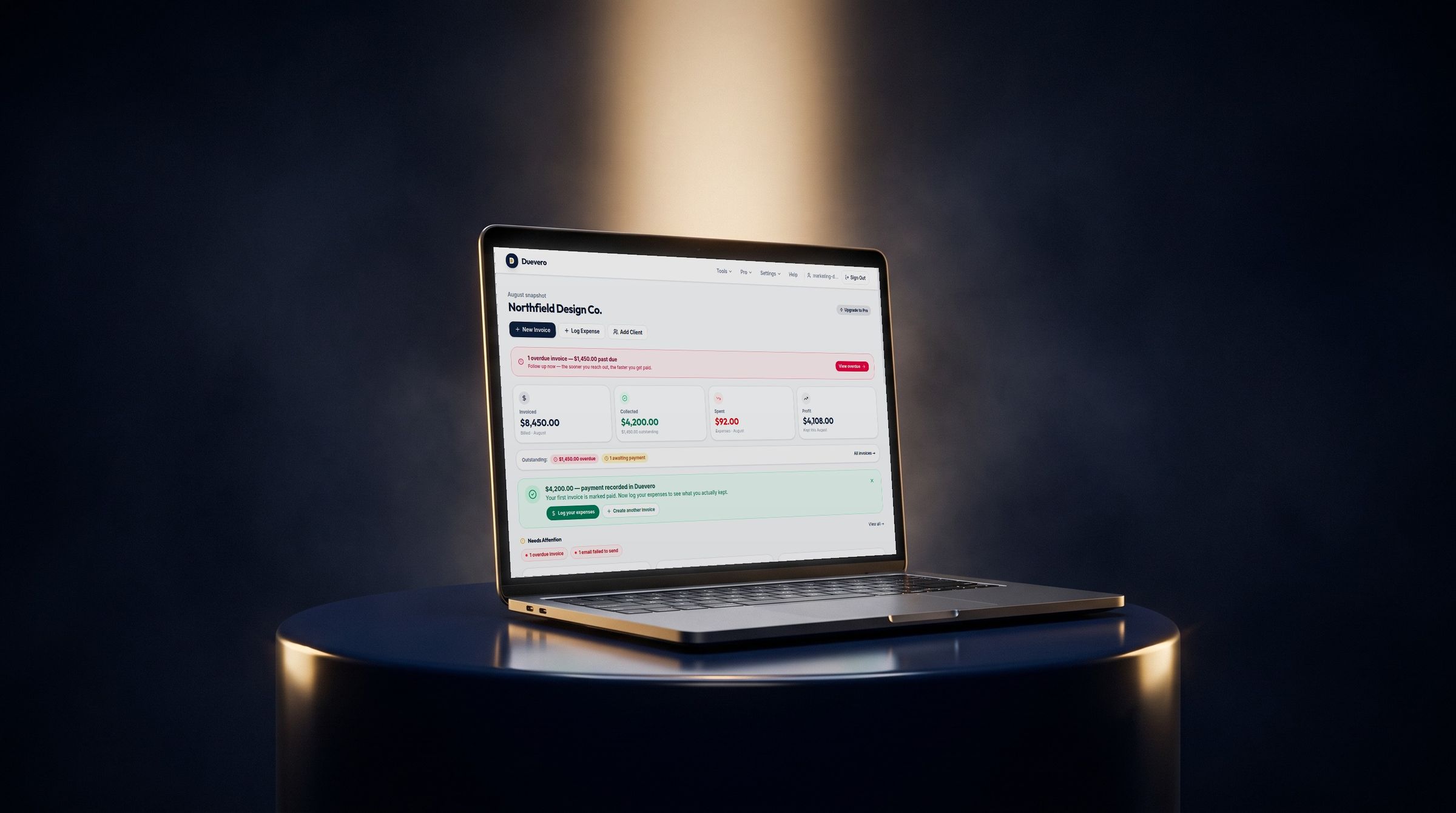
Made for people
who are the business
Everything in one place
Estimates, invoices, deposits, expenses, reminders and reports, all wired to the same numbers. Change one, the rest follow.
Our approach
Invoices, expenses and profit live together, so the numbers finally add up without a spreadsheet in the middle.
See how it worksInvoice faster. Client, amount, due date. Copy the link and send it, in under 60 seconds.
Every expense, sorted. Software, supplies, subcontractors. Logged as it happens, by category.
Follow-ups on autopilot. Set your schedule once. Duevero emails overdue clients on the dates you choose (Pro).
See what you kept. Collected minus spent. The number that actually lands in your account.
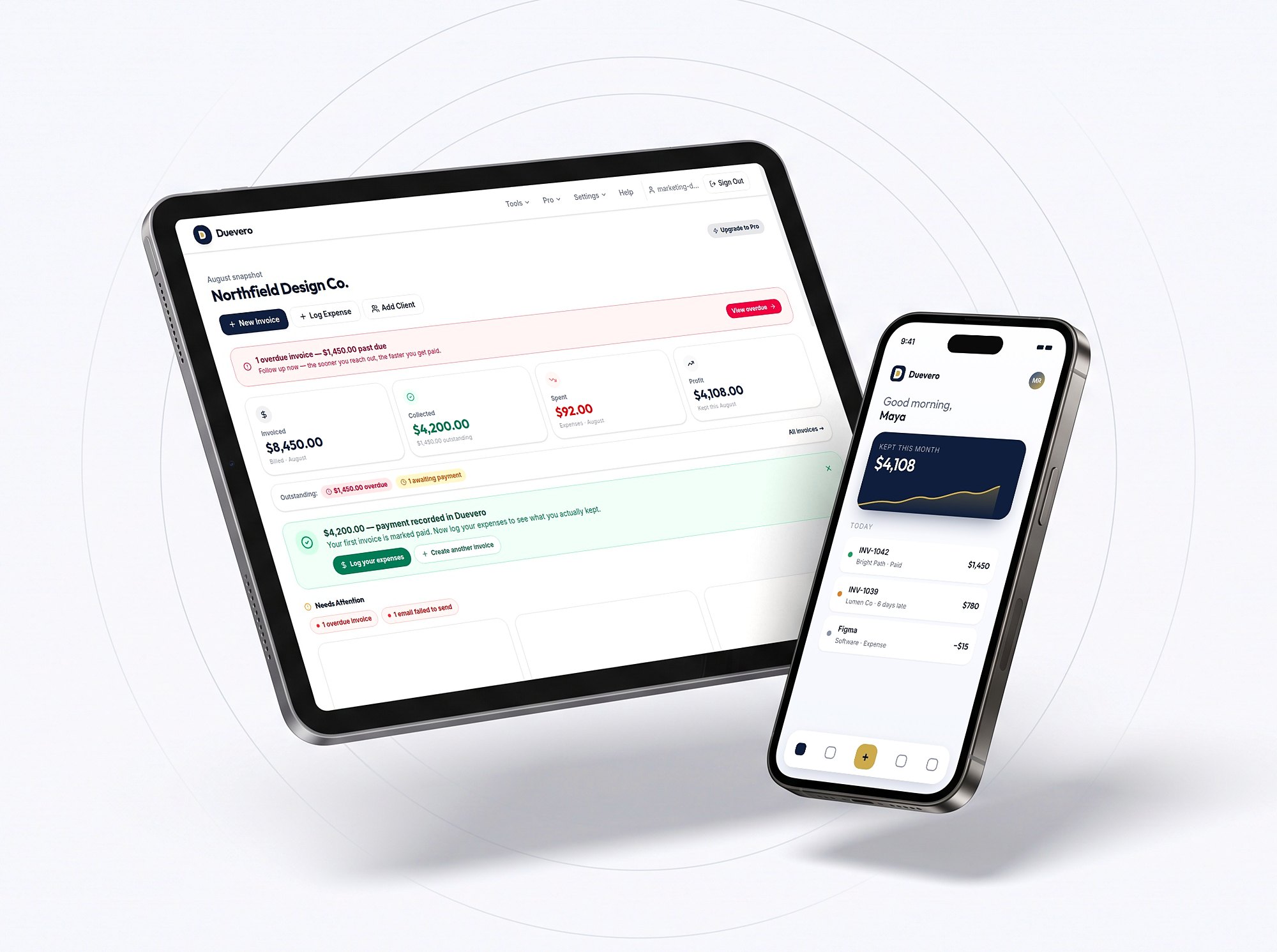
Phone, tablet or laptop
Duevero runs in your browser, so it goes wherever you do. Send an invoice link from a coffee shop. Check who paid on the way home. Log the receipt before you lose it.
Nothing to install. Open Duevero on any device and see the same invoices, expenses and profit.
What your client sees
Paste the invoice link in an email or a text. Your client opens a clean invoice page, no account, no app to install.
Connected
A closer look
This silent walkthrough records the real Duevero app in a disposable workspace with fictional data. No customer email was sent and no payment was processed. English captions are available from the player's caption menu.
Start in the dashboard, add fictional client Morgan Ellis, and create a draft USD invoice for brand identity design. Copy the invoice link to use in your own sharing workflow, then preview the finished invoice in the browser.
Log a $69 software expense with its category, description, amount, and date. Return to the financial overview. The invoice is still unpaid, so the snapshot accurately shows $0 paid income, $69 expenses, and a −$69 net.
Less paperwork. More clarity. Start free with Duevero.
Use the native controls to pause, seek, open fullscreen for a closer view, or toggle captions.
How Duevero works
Fill in client, amount and due date. Copy the invoice link and paste it in an email or a text. Your client clicks to view it. Under 60 seconds, start to send.
See which invoices are paid, unpaid or overdue at a glance. Log software, supplies and subcontractor costs as they happen, sorted by category.
Your dashboard shows collected income, expenses and estimated profit. With Pro, export CSV reports for your records.
Your whole business, at a glance

Stats update the moment you create an invoice or log an expense. No manual reconciliation.
See what each client owes, what they've paid and how long since you last invoiced them.
Income minus expenses. The number that actually lands in your account.

Why not just use a spreadsheet?
Invoices in one app, expenses in a spreadsheet, profit math in your head.
Create invoices, log categorized expenses and watch your overall profit update on its own.
Rewriting the same follow-up email every time, and still forgetting who's late.
Set your reminder schedule once. Duevero sends overdue follow-ups on the dates you choose, or you can copy a ready-made template.
Six hours digging through email receipts and bank statements.
With Pro, export clean, categorized CSVs for your accountant.
Already have clients in a spreadsheet? Import the CSV, map the columns, review the rows and send your next invoice from Duevero.
Bring your clientsWho it's for
“This will be my exclusive platform for invoicing clients going forward.”
Simple, honest pricing
For freelancers and solo operators who bill clients and want clean, simple books.
For service businesses ready to get paid on time, manage more clients and know their real profit.
Duevero sends overdue reminders on your schedule. Recurring invoices stay draft-only by default, with explicit per-schedule opt-in to automatic email.
Profit & Loss reports with income, expenses and estimated profit for this month, last month and year to date.
White-label PDFs with your business identity, logo, supported accent color, terms and optional Duevero attribution.
Questions
Still curious? Write to hello@duevero.com.
No. The Basic plan is genuinely free. Just sign up and send your first invoice.
Freelancers and solo operators who invoice clients and want clean, simple books without paying for features they don't use.
When you need more than 10 active clients, more than 10 invoices or 5 estimates a month, recurring invoices with optional automatic sending, scheduled overdue reminders, multi-period Profit & Loss reports or formatted accountant-ready exports, Pro pays for itself.
Yes. No contracts, no cancellation fees, no awkward calls. Downgrade to Basic whenever you want.
No. Set your business country, then invoice in a supported currency. Totals in each currency stay separate and are never converted automatically.
Free tools
These work on their own, and they're built into Duevero when you're ready to sign up.
A clean, printable invoice in under a minute. Copy or print it instantly.
Open generatorA professional follow-up for unpaid invoices. Polite, firm or final notice.
Write a reminderRevenue and expenses in, real margin out, with a plain-English read.
Calculate profitInvoice templates Freelance Consultant Service
Ready to start?
Invoice faster, follow up without the awkwardness and know your real profit. Not just your revenue.
No contracts · Cancel anytime